Categorías
Último blog
A practical guide for hotel owners operations teams and technology buyers
Mobile key technology lets guests use a smartphone as a room credential instead of relying only on a physical key card. It can make arrival smoother, reduce routine work at the front desk, and give hotel teams more control over access permissions.
The value is not simply opening a door with a phone. A successful hotel mobile key program connects reservations, identity verification, access control, and guest support. It also needs a clear backup option for guests who prefer a card, lose a phone, or run out of battery.
How Hotel Mobile Key Technology Works
A typical mobile key journey starts before arrival. After a reservation is confirmed and the hotel has completed its required check in steps, the property management system can trigger a digital room credential. The guest receives it through a hotel app, a wallet based pass, or another approved mobile access method.
At the door, the phone communicates with the lock through a supported technology such as Bluetooth Low Energy or NFC. The credential works only for the assigned room and approved stay period. Hotels should confirm PMS integration, lock compatibility, and the response to a weak internet connection before selecting a platform.

Benefits Across the Guest Journey
Mobile access can make several moments of the stay easier when guests are eligible to use it. The table below connects each guest benefit to the operational condition that makes it useful.
Table 1 Mobile key benefits across the hotel guest journey
|
Guest moment |
Mobile key capability |
Guest benefit |
Operational result |
|
Before arrival |
Key issued after digital check in |
Guests can prepare before reaching the property |
Less routine key preparation at peak times |
|
Arrival |
Direct room access when eligible |
Less time waiting at reception |
Staff focus on exceptions and personal service |
|
During the stay |
Credential updates for room moves or extensions |
Fewer trips to the desk for access changes |
Faster handling of access related requests |
|
Checkout |
Credential expires automatically |
No key card return step |
Less card collection and reconciliation work |
A late arriving guest may appreciate going directly to the room after completing the required arrival steps. Mobile access can support a consistent digital journey when the hotel already offers online check in or messaging.
The front desk remains essential for welcome, support, and guests who do not want to use mobile access.
Better Access Control for Hotel Teams
Mobile key technology can simplify routine changes such as early check in, late checkout, room moves, and approved shared access. Staff do not need the same broad permission. Managers can issue time limited credentials for employees, cleaners, maintenance teams, and suppliers.
Access records can help investigate a guest concern or operational issue, but they do not replace good staff procedures. When evaluating hotel door lock systems, check that the hardware fits the property’s room count, layout, guest profile, staffing model, and technology stack.
Security Privacy and Guest Trust
A mobile key can offer stronger control than a traditional key when configured correctly. Access can be limited by room, door, date, time, and user role. A digital credential can also be removed or updated without collecting anything from the guest.
Smart is not automatically secure. Security depends on the lock, credential design, identity verification, staff permissions, updates, and incident procedures. Set rules for access records, data retention, and guest privacy.
Tell guests how to activate the key, whether Bluetooth or NFC is required, and how to request a physical card.
A Fallback Plan Keeps Mobile Keys Practical
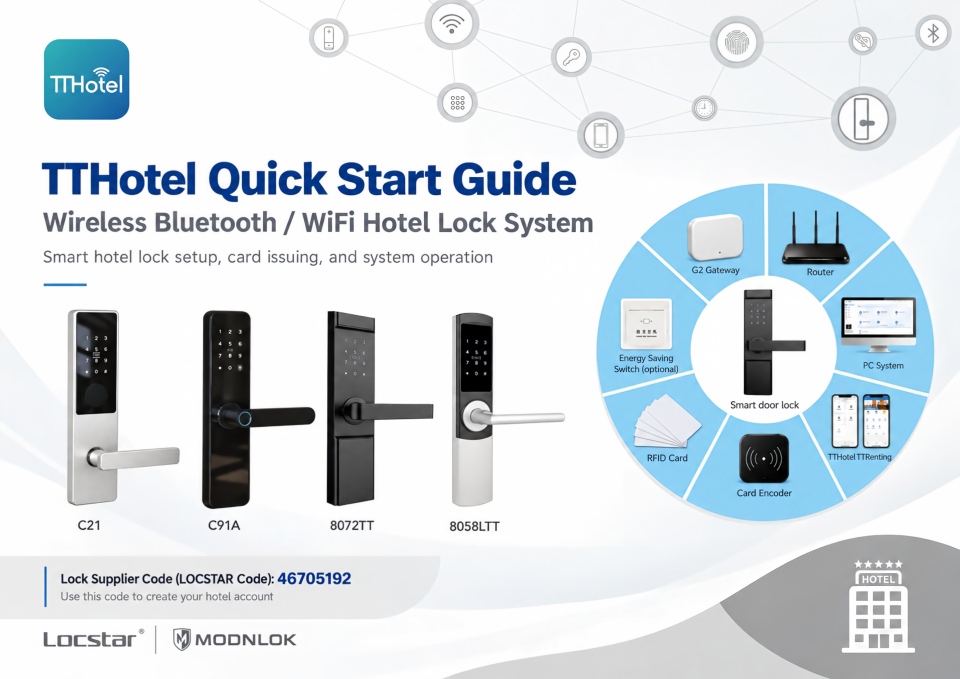
A hybrid plan is usually more practical than a mobile only policy. Maintaining RFID hotel lock systems gives guests an approved alternative when a phone is lost, unavailable, or not preferred.
Table 2 Mobile key exceptions and fallback actions
|
Situation |
Question to settle before launch |
Practical response |
|
Phone battery is empty |
Can the guest still enter the room |
Provide a verified staff process and a physical credential option |
|
Guest does not use the app |
Is mobile access mandatory |
Offer RFID access without creating a second class experience |
|
Internet or PMS is disrupted |
Will issued credentials continue to work |
Confirm offline behavior and train staff on outage procedures |
|
Room changes or stay extensions |
How quickly is access updated |
Test real reservation changes during the pilot phase |
Test the fallback process during training, including a dead phone, an extra guest credential, a late room move, and a temporary system outage.
What to Check Before Launching
Confirm whether current locks can support mobile access or need an upgrade. Review PMS integration, online check in, identity verification, staff roles, credential expiry, and emergency access procedures.
Begin with a pilot. Test a defined group of rooms, train the relevant teams, and track activation rate, access related requests, key card issuance, check in wait time, and guest comments. Success means easier arrival without new friction.
Frequently Asked Questions
It depends on the lock and credential platform. Some credentials can remain available on the phone after being issued, while other functions require a live connection. Confirm the provider’s offline behavior before deployment.
Not always. Many hotels benefit from offering both options. RFID cards remain useful for guests without compatible phones, guests who prefer a physical key, and emergency fallback situations.
The system should update, replace, or revoke the credential according to the approved reservation change. Test room moves, extensions, cancellations, and late checkout before a full rollout.
A properly integrated system can use reservation and stay information to issue, update, or expire credentials. The exact functions depend on the PMS, lock platform, and integration setup.
Final Recommendation
Mobile key technology can improve convenience, access control, and daily operations when it matches real hotel workflows. Map the guest and staff journey, retain a dependable RFID fallback, and test the exceptions. To assess compatibility and rollout priorities, request a mobile key readiness consultation.
 en
 es
 ar
 lt
 中文